Review of LCSH Recommendation Tool
The LCSH Recommendation Tool can assist you in brainstorming and assigning subject headings for theses and dissertations that are outside your expertise. Developed by Dr. Kowk-leong Tang of Harvard University in March 2025, this Gemini based AI tool suggests Library of Congress Subject Headings (LCSH) based on the bibliographic information you supply.
You only need to provide a Gemini API key, and this browser extension leverages the Google Gemini 2.0 Flash model to generate LCSH recommendations for you. It’s a free and easy tool to run in five steps: 1) Enter Bibliographic Information, 2) Generate Initial Suggestions, 3) Review Scrapped Results, 4) Final Recommendations, 5) Conversation History. First, you enter bibliographic information such as Title, Abstract, and Table of Contents in text or image form (Figure 1). The tool will generate subject analysis and make initial suggestions based on the information you provided (Figure 2).
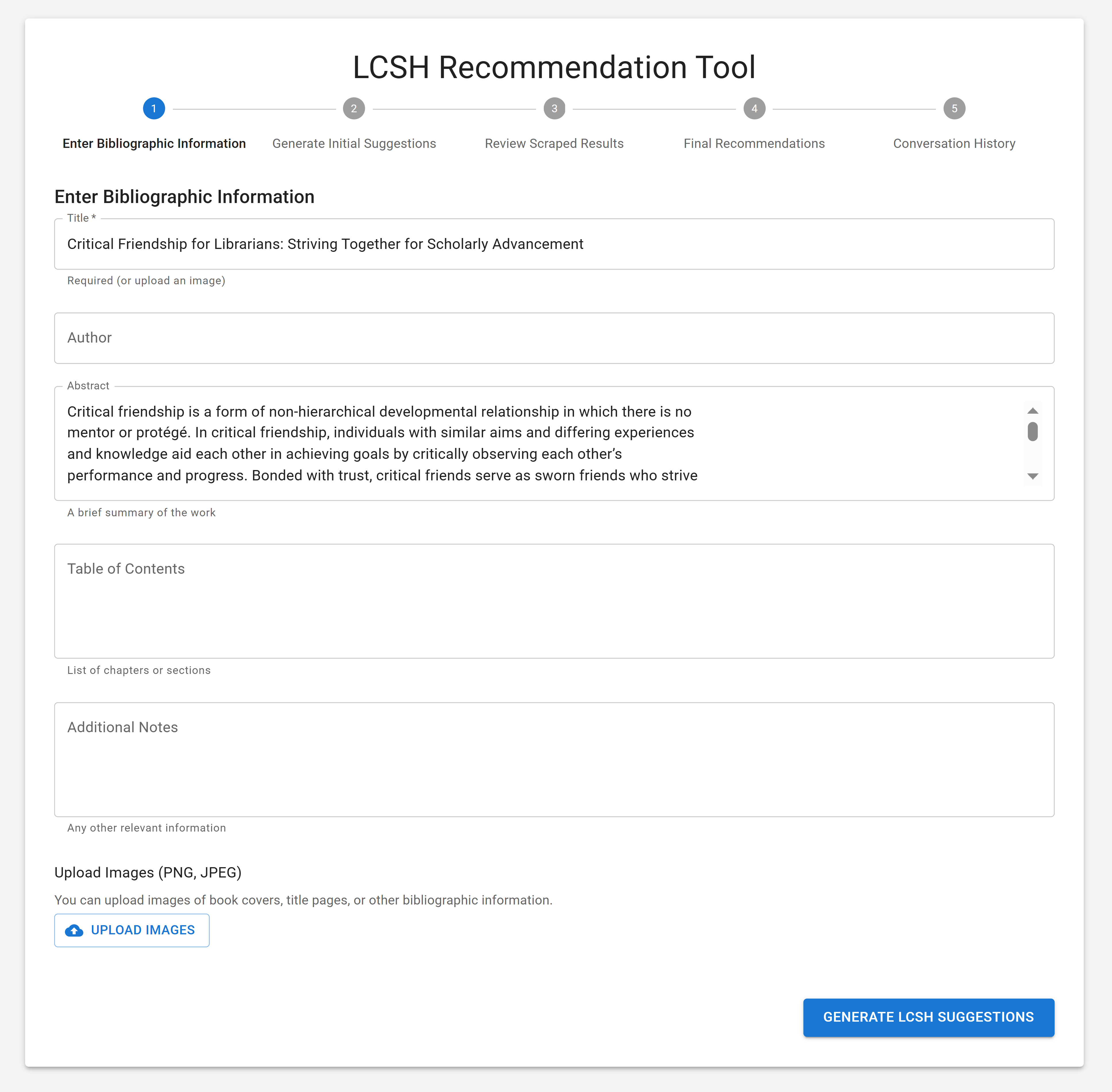
Figure 1: Enter Bibliographic Information – A form to input bibliographic information (title, author, abstract, table of contents, additional notes, and images) of the item to be described.
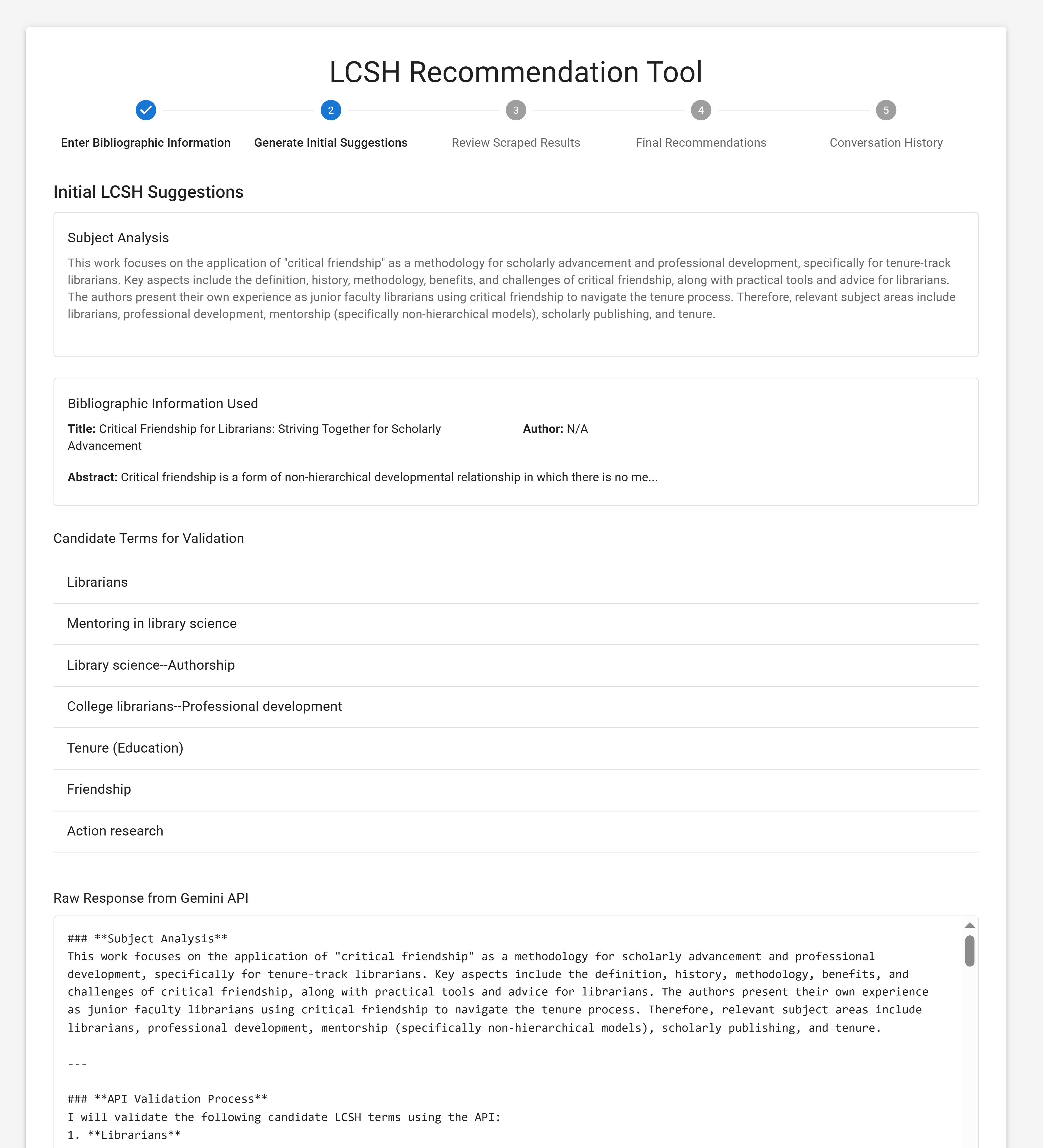
Figure 2: Generate Initial Suggestions – Initial recommendations for subject terms to describe the item, including a narrative justification for the subject analysis and a list of “candidate terms for validation.”
It then checks the generated suggestions against the LC name authority files via the Library of Congress Linked Data Service and presents the results (Figure 3). Green indicates headings that exist, while red ones are made-up headings that do not exist. It then gives final recommendations and shows the accuracy rate (Figure 4).
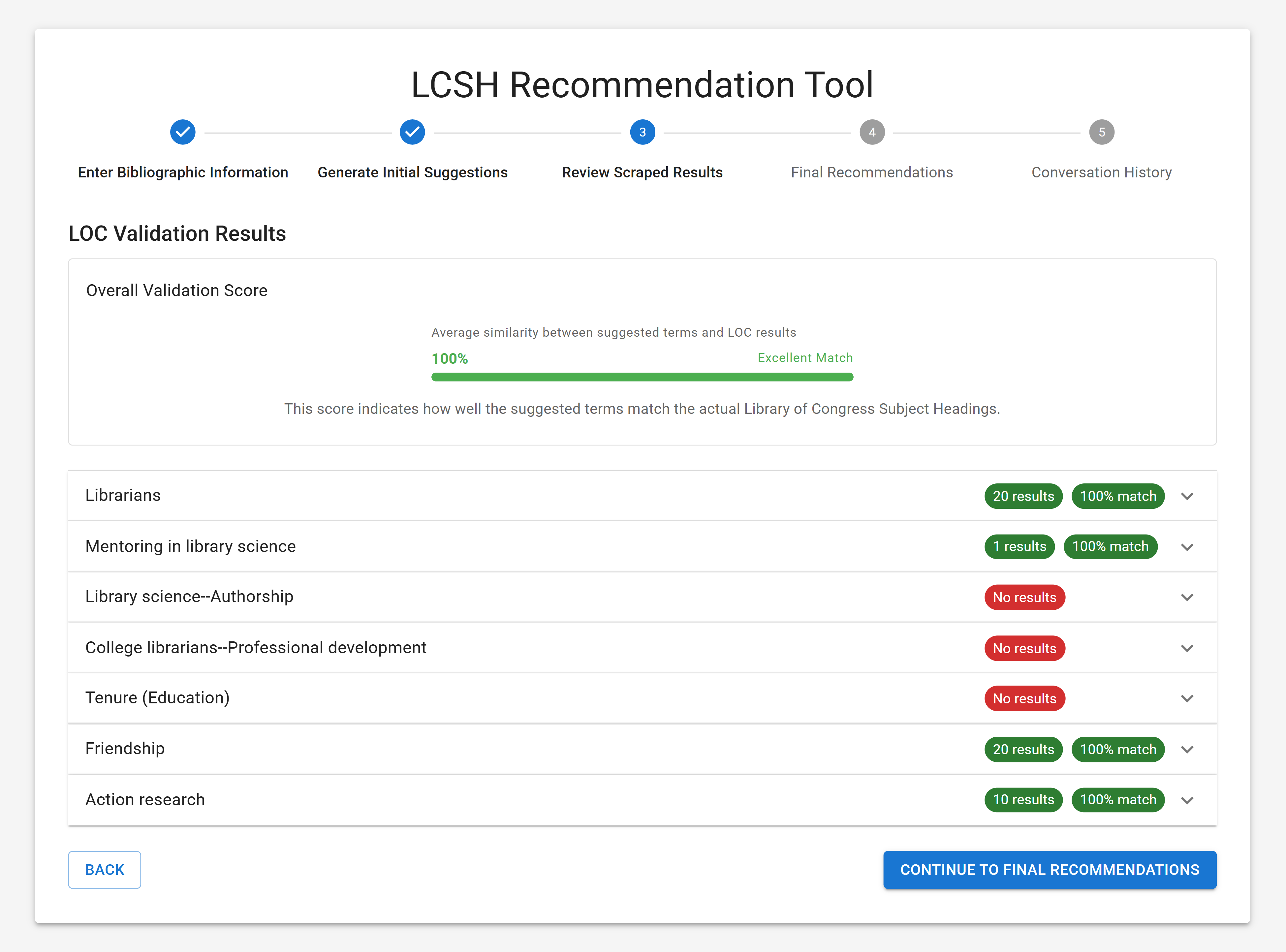
Figure 3: Validate Terms with the Library of Congress Name Authority Files – Review of how well the recommended terms match to existing LCSH terms with an overall validation score for all recommendations and individual assessments for each suggested term.
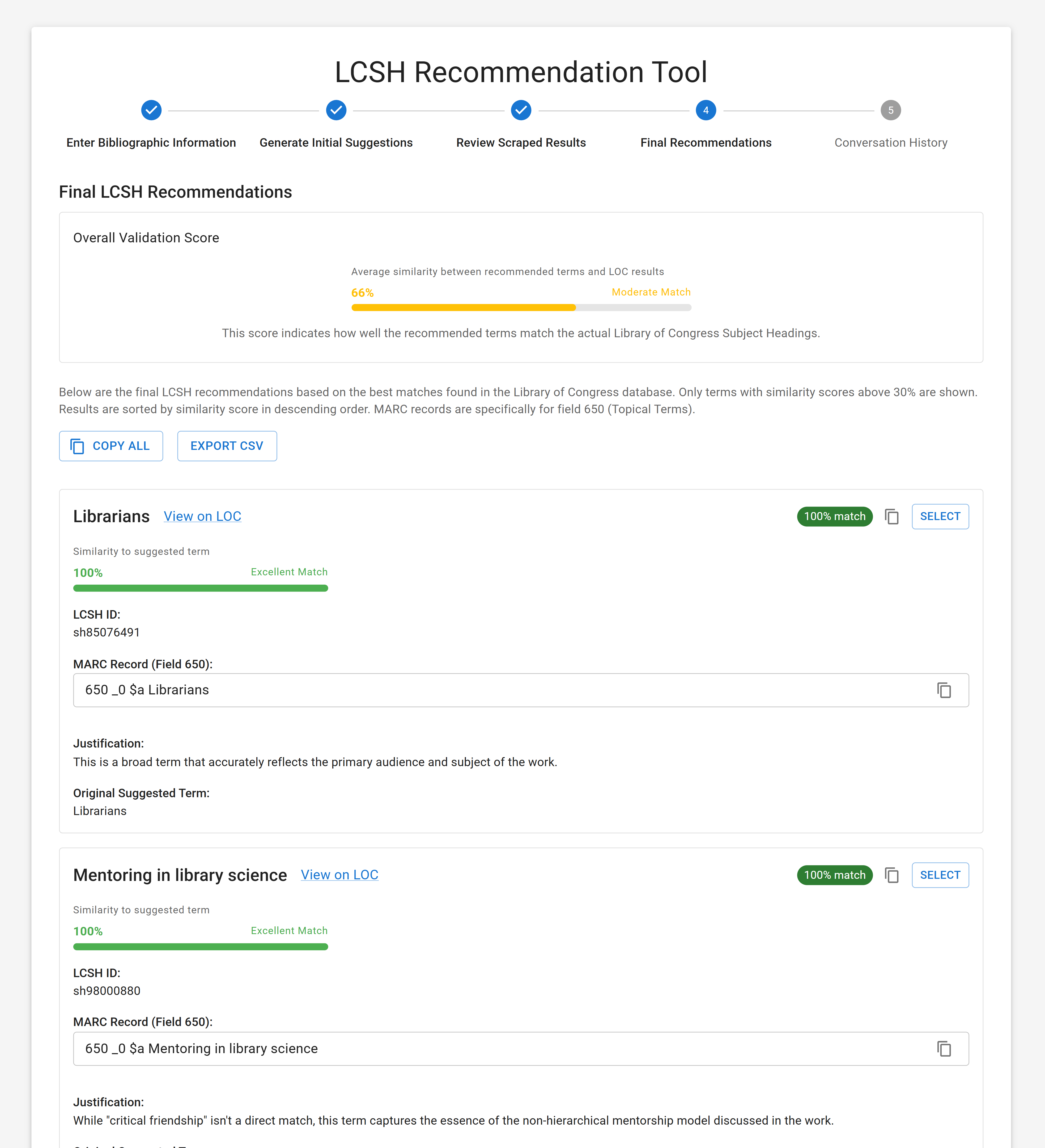
Figure 4: Final Recommendations & Overall Validation Score – Final recommendations for LC subject headings including the heading, LCSH ID, an example of the heading in a MARC 650 field, percent similarity to the original suggested term, justification for the recommendation, and buttons to click to select a term or terms.
As the last step, you can choose whether you’d like to save your conversation history (Figure 5). For better and advanced results, the tool also gives an option to customize the LCSH selection rules (Figure 6).
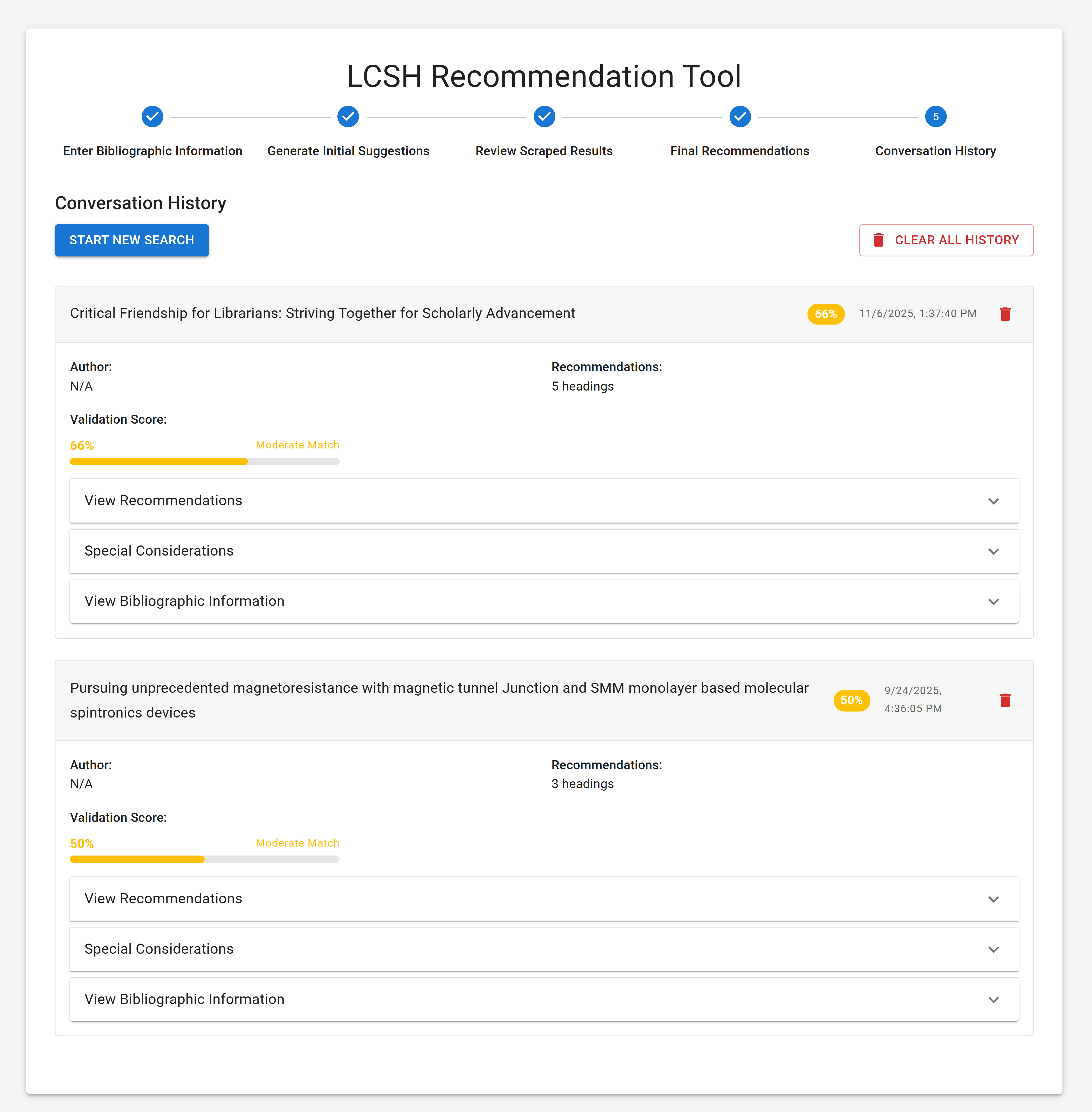
Figure 5: Save Conversation History – A list of interactions with the tool listed by session, including the title of the resource, overall validation score, list of recommendations, special considerations, and bibliographic information.
![[IMAGE 5 - Save Conversation History – A list of interactions with the tool listed by session, including the title of the resource, overall validation score, list of recommendations, special considerations, and bibliographic information. - image5.png]](https://serials.atla.com/tcb/article/download/4533/version/4768/5820/20808/image6.png)
Figure 6: LCSH Selection Rules (Advanced) – An example of a list of additional rules for the tool to apply when selecting LCSH terms to recommend.
It feels like magic but comes with some drawbacks. Based on my experience, the accuracy rate has been low (50-60 percent) with science and engineering theses and dissertations and slightly higher (70-80 percent) with topics in the humanities. Even when recommended headings do exist, they are often too broad or irrelevant. The tool doesn’t supply subdivision headings yet, and it is likely that you will end up assigning additional or alternate headings without help. As with any AI tool, there is also a concern about privacy and data usage. It appears the tool is designed to store data locally in your browser’s storage and not to share your bibliographic information with other websites, but you are feeding an AI information, and you should be cautious and consider using this tool solely for resources that won’t infringe the author’s privacy or copyright.
Even with these drawbacks, I found this tool useful when cataloging theses and dissertations on hard sciences and engineering topics that are beyond my knowledge and imagination. Just like any other AI tool, the LCSH Recommendation Tool is not perfect and requires human intervention, but it can give you a good starting point from which you can build. I enjoy using this tool as an assistant and hope the developer considers updating this browser extension version which we can install and manage without bothering the IT department. For a full description and a tutorial, visit the developer’s website.